
- harmful websites blocked
- 5,000+
- modes you switch remotely
- 3
- AI monitoring & alerts
- 24/7
Keeps an eye on
- YouTube
- Games
- Social apps
- Web browsers
- Chat apps
- App stores
- Video apps
- Search

Manage your child’s screen time and build healthy habits with learn-first scenarios
Try nowYour child grows with an AI tutor for Math, Literature and English — and earns time for fun
See how it works
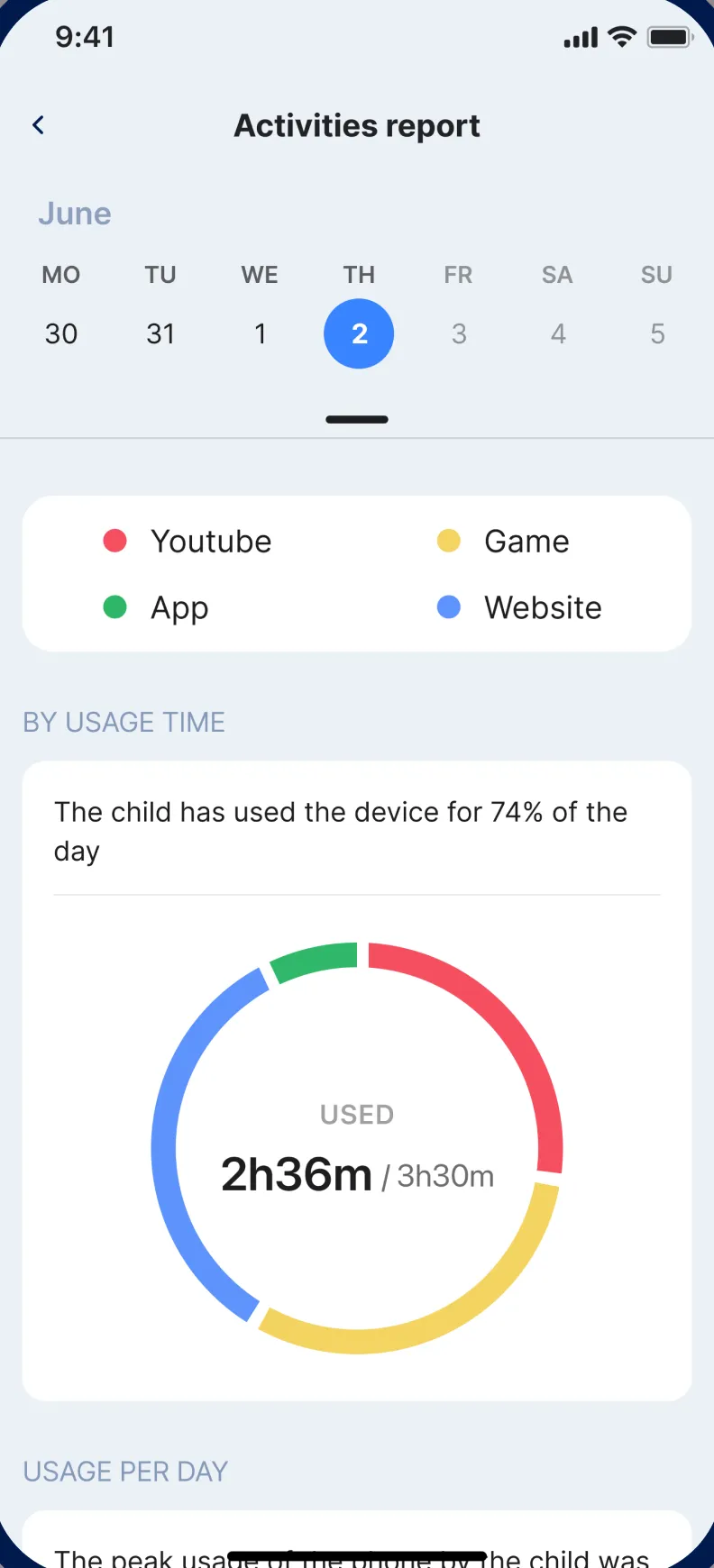
Monitor and control your child’s screen time

Set time limits on apps and devices
Give each app or the whole device a daily budget. Block apps with one tap or by category — when time is up, the device locks itself.
Daily Time GuardianSchedule sleep and study time
Quiet hours for bedtime and homework switch on automatically, so games and social media wait until the right moment.
Blocked applicationsKeep the internet safe with AI
Thousands of harmful websites are blocked out of the box, and the AI reviews what children watch — including YouTube — and alerts you instantly.
Always know where your child has been
Location history shows where your child went, day by day, right inside the parent app.
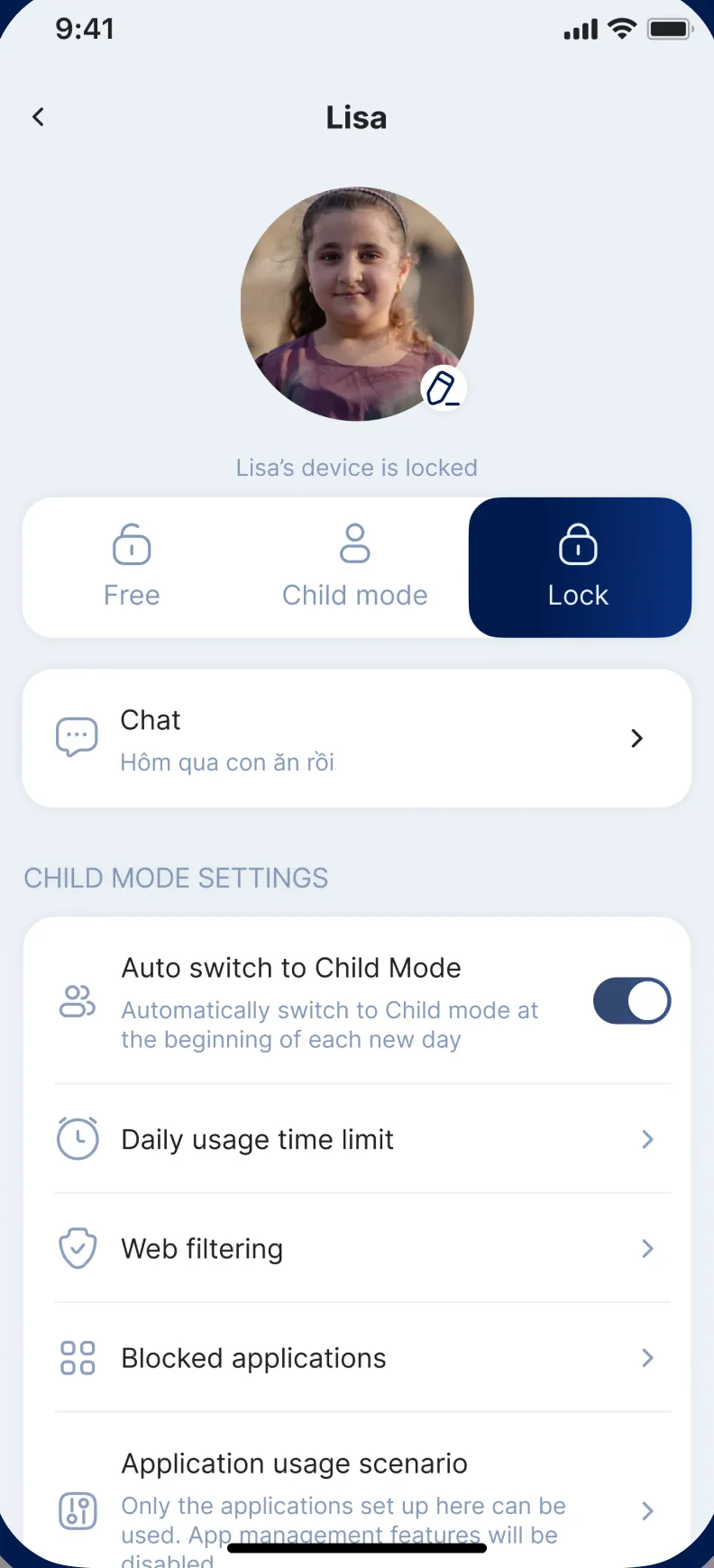
One app, three modes for every moment
Switch your child’s device from any parent phone — or let schedules do it for you.

Free mode
Weekends, movie night or a well-earned reward: open everything for the moments you trust.

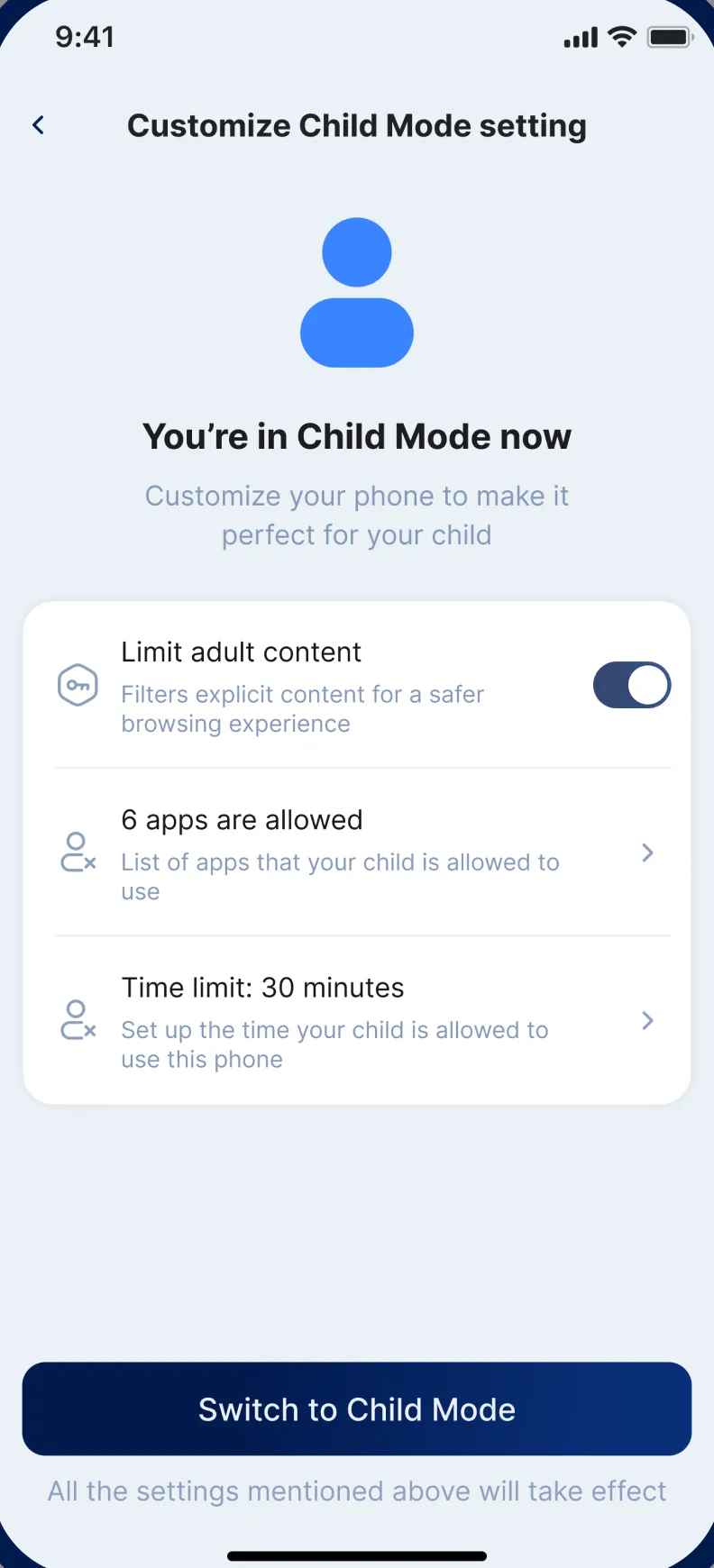
Child mode
Only the apps you approve, within the time you set — adult content is filtered automatically.

Lock
Dinner, homework or bedtime: lock the device instantly, right from your own phone.
Your family’s data stays with your family
- We never sell, rent or trade personal data
- Children’s data is never used for targeted ads
- Review or delete your child’s data any time
Connect your child’s device in 5 minutes
Easy setup with the AI Follow assistant — every feature is one tap away.
- 1
 FamilyMate
Download FamilyMate on your phone
- 2Binding code
Install it on your child’s device and enter the code from your app
- 3All set
Choose a mode and let FamilyMate look after your child
Your kid is safe
Start free. Upgrade when you’re ready.
Download FamilyMate for free, then choose the Premium plan that fits your family.
- All three device modes
- AI content alerts
- Daily limits & schedules
- App & web blocking
- Activity reports
- Location history
US prices shown. Prices may vary by country and are charged by the App Store or Google Play. Cancel anytime in your store subscription settings.
Families around the world use FamilyMate in their own language
- Tiếng Việt
- English
- Français
- Español
- Português
Frequently asked questions
Which devices does FamilyMate work with?
FamilyMate is on the App Store for iPhone and iPad (iOS / iPadOS 17.4 or later) and on Google Play for Android phones and tablets.
How do I connect my child’s device?
Install FamilyMate on your phone and follow the AI Follow assistant. It shows you how to set up your child’s device and link it with the binding code displayed in your parent app.
What is the difference between Free, Child mode and Lock?
Free opens the whole device. Child mode allows only the apps and time you choose and filters adult content. Lock locks the device instantly — perfect for homework, meals and bedtime.
Can FamilyMate monitor YouTube?
Yes. FamilyMate’s AI reviews what children watch and interact with, including YouTube, blocks what is inappropriate and alerts you right away.
Do you sell my family’s data?
No. We never sell, rent or trade personal data, and children’s data is never used for targeted advertising. You can ask us to review or delete it at any time.
How much does FamilyMate cost?
The app is free to download. Premium is available weekly, every 3 months or yearly, billed by the App Store or Google Play. Cancel anytime from your store subscription settings.